What kinds of damage can it fix — and what can it not?
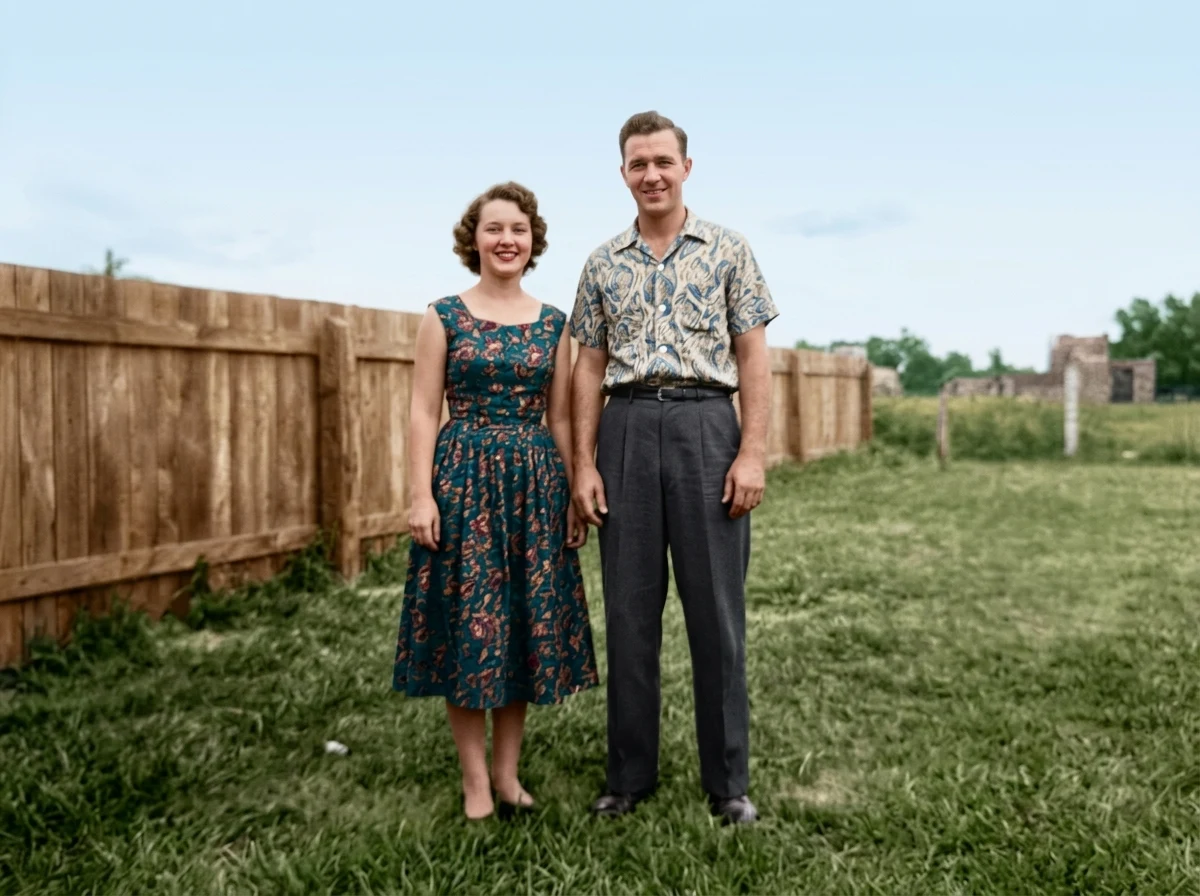
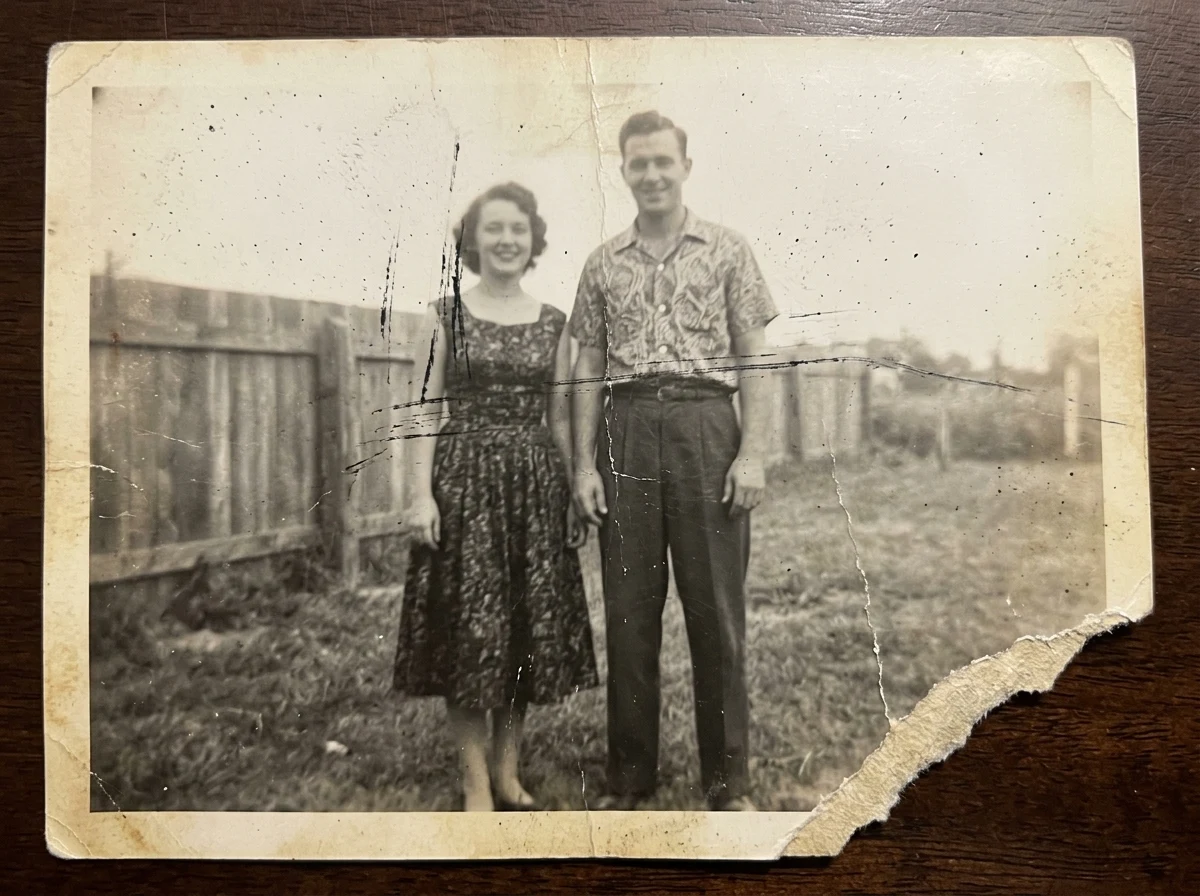
It reliably clears scratches, creases, fading, dust, specks, stains, mild blur, low contrast, and torn or missing corners. What it cannot do is invent details that were never captured: if a chunk of a face or a whole figure is torn away, the AI fills it with a plausible guess, not the real lost content. Treat large missing areas as approximate reconstructions.
Does it colorize black-and-white photos?
Yes — the restore pass recovers detail and adds natural, period-appropriate color in the same step. Colors are an AI estimate of what was plausible (skin tones, foliage, common clothing), not a record of the exact original hues. If you know a dress was blue, regenerate or note it as an interpretation when you share.
How accurate are the faces?
The model is instructed to preserve the same people, expressions, poses, and bone structure rather than redraw them. On clear originals faces stay faithful; on very blurry or damaged ones the AI has less to work with and may smooth or shift features. Always compare the result against the original at full size and regenerate if anyone looks off.
What makes the best scan to upload?
Flat, even lighting and sharp focus beat resolution every time. Lay the print flat, avoid glare and shadows, fill the frame with the photo, and shoot or scan straight-on. A clean 1500px scan restores better than a dark, angled 4000px phone snap, because the AI recovers real detail rather than amplifying noise.
My photo has a whole section torn away — will that work?
Partly. Small gaps along edges or in a background rebuild convincingly. Large holes over faces, hands, or text are reconstructed from context, so review them closely and consider cropping to the intact area instead. For irreplaceable photos, keep the original scan alongside the restored version.
What file formats and sizes are supported?
Upload JPG, PNG, or WebP up to 10MB. If your scan is larger, export a slightly compressed JPG — quality 90 keeps the detail the AI needs while staying under the limit. The restored result downloads as a standard image you can reprint or share.
Are my uploaded photos private?
Your upload is used only to generate your restored image. Family photos are personal, so we do not display your uploads publicly. Sign in to keep restores in your private history; otherwise download the result and it is yours to keep.
Can I use restored photos commercially?
You can use your results for personal keepsakes, reprints, memorials, and genealogy freely. For commercial use — selling restoration as a service, publishing in a book — make sure you hold the rights to the original photograph, since restoring it does not grant you copyright over the underlying image.