
Direction 01
Multi-shot storytelling
Chain shots into a rhythmic clip with rich camera language.
Motion continuity video model
Use Seedance 2.0 Fast, 2.0, 2.0 Mini, or 2.5 for dance motion, first+last-frame control, and multimodal references.
Seedance 2.0 workbench
Fast: 59+ creditsThis workbench defaults to 2.0 Fast and can switch to 2.0, 2.0 Mini, or 2.5. Version 2.5 supports up to 30 image, 10 video, and 10 audio references.
Seedance 2.0 story wall
Use Seedance 2.0 on Inkfox AI for image-to-video with first/last-frame and multimodal references, dance motion, and audio. Free monthly credits to start. Seedance 2.0 image-to-video earns its keep on multi-shot continuity: pin transitions with first and last frame, let dance and body motion ride the rhythm, then sync the native audio to the hit points.
Direction 01
Chain shots into a rhythmic clip with rich camera language.
Direction 02
Generate coherent, fluid dance and body motion that follows a beat.
Direction 03
Set a first and last frame for controllable, natural transitions.
First+last transition
Dance rhythm sample

Multi-shot chain
Decision card
Best for multi-shot clips, dance rhythm, and first+last-frame transitions that have to stay coherent. For a single static product hold with no rhythm or cuts, a lighter model spends fewer credits.
Creation steps
The fastest path is not a longer prompt. It is one readable frame, one motion goal, and one camera choice.
Prepare the first frame (and last frame if needed) and references.
Describe the motion rhythm and shot-to-shot intent.
Validate continuity cheaply on the Fast profile first.
Switch to the full profile for the final clip.
Prompt examples
Before spending Fast: 59+ credits on a larger batch, make sure the subject, use case, and output requirements are clear.
Upload a first frame, add a last frame to control transitions.
Describe motion continuity and a sense of beat.
State shot-to-shot flow and camera changes.
Note profile, duration, and subject consistency to keep.
Model comparison
Prefer Seedance 2.0 for multi-shot storytelling and first+last-frame control, Kling 3.0 for single-shot consistency, Veo 3.1 for quality and audio.
| Dimension | Seedance 2.0 Fast | Kling 3.0 | Veo 3.1 |
|---|---|---|---|
| Multi-shot storytelling | Strong | Medium | Medium |
| First+last-frame | Strong | Limited | Limited |
| Motion continuity | Strong | Strong | Strong |
| Resolution | 480p–720p | 720p–1080p | High |
| Speed | Fast profile | Medium | Slower |
| Credit cost | 59+ credits | 140+ credits | 30+ credits |
Prompt examples
These examples show how to describe the subject, scene, camera, and final use so you can adapt them to your own image or video.
From the character first frame, perform coherent dance motion on the beat, fluid and natural, camera follows slightly, 6-second clip.
First frame: a person standing; last frame: the person turning to leave; generate a natural turn-and-step transition between them.
Cut from a product close-up to a usage scene, camera pushes in then pulls back, upbeat pace, coherent shot-to-shot motion.
Decision guide
Choose it when the job matches use seedance 2.0 on inkfox ai for image-to-video with first/last-frame and multimodal references, dance motion, and audio. free monthly credits to start.
Compare with Kling, Runway, Veo, Hailuo, or Grok Imagine when the brief depends on a different strength, cost, or output format.
Quick answer
Seedance 2.0 is best for use seedance 2.0 on inkfox ai for image-to-video with first/last-frame and multimodal references, dance motion, and audio. free monthly credits to start.. Use it when that matches your goal, check the credit cost before generating, and compare another model when you need a different strength.
Return to the workbenchRepository-backed test cases
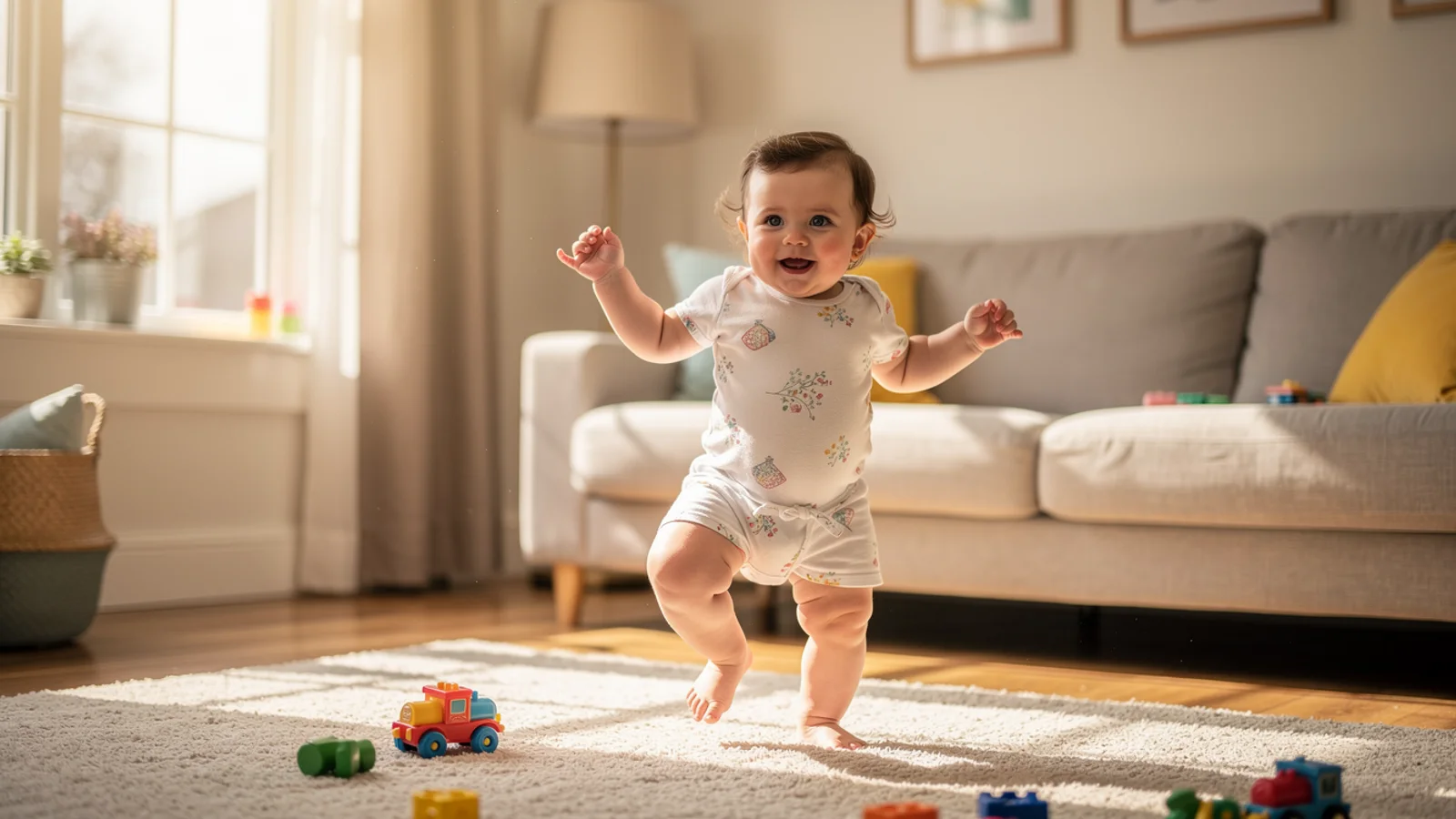
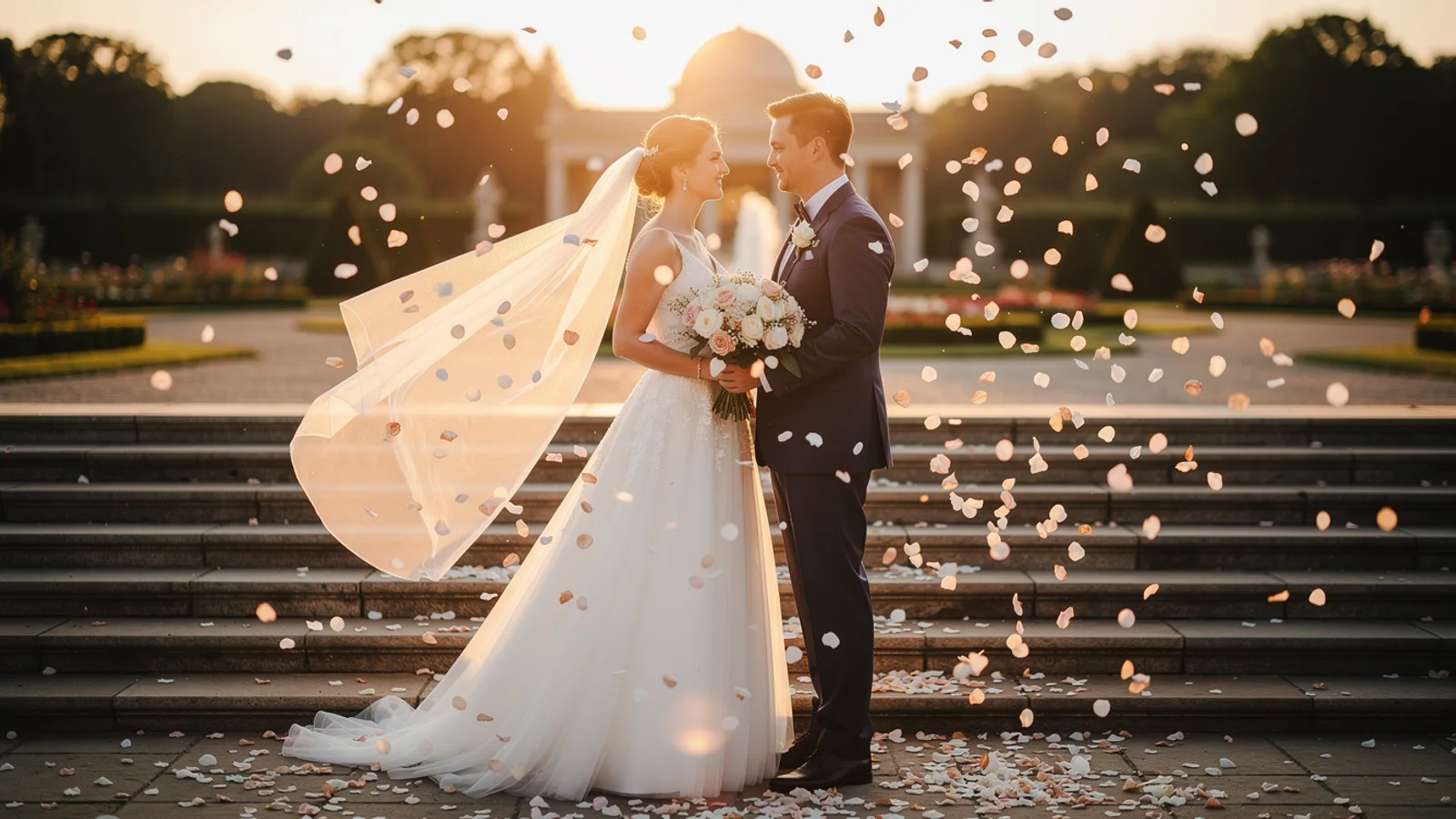
These examples use Seedance 2.0 Fast at 480p for 5 seconds, requested as 16:9, with sound off. They are bounded examples, not a universal benchmark.
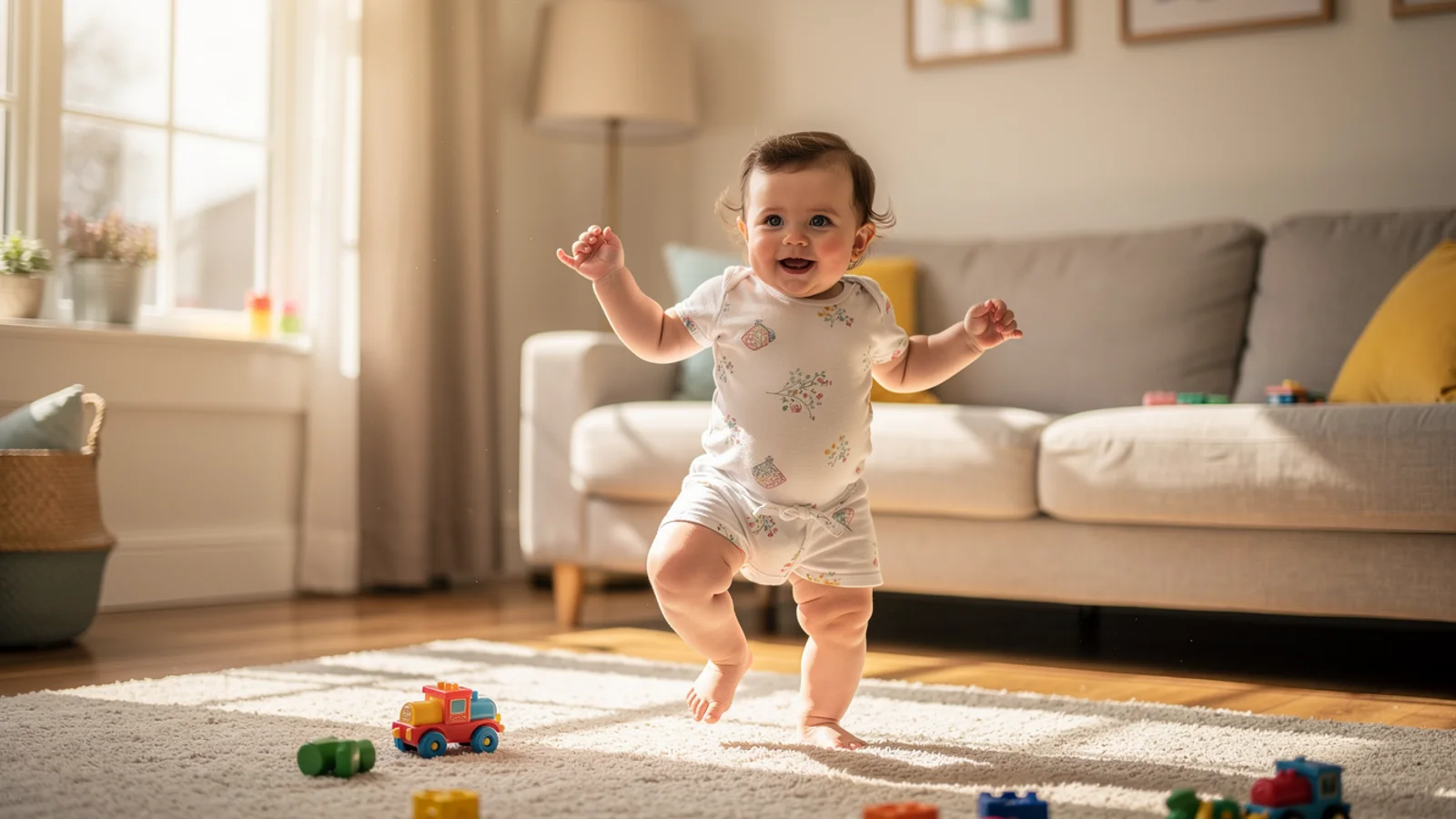
Use this case to inspect body proportions and whether the social-motion energy stays readable without changing the room composition.
Create a realistic short hover preview from this first frame. Preserve the subject identity, composition, materials, background, and framing. Use subtle model-appropriate motion only. No text, no logos, no watermark, no morphing, no extra objects. Add lively but natural dance motion, stable body proportions, and playful social-video energy.
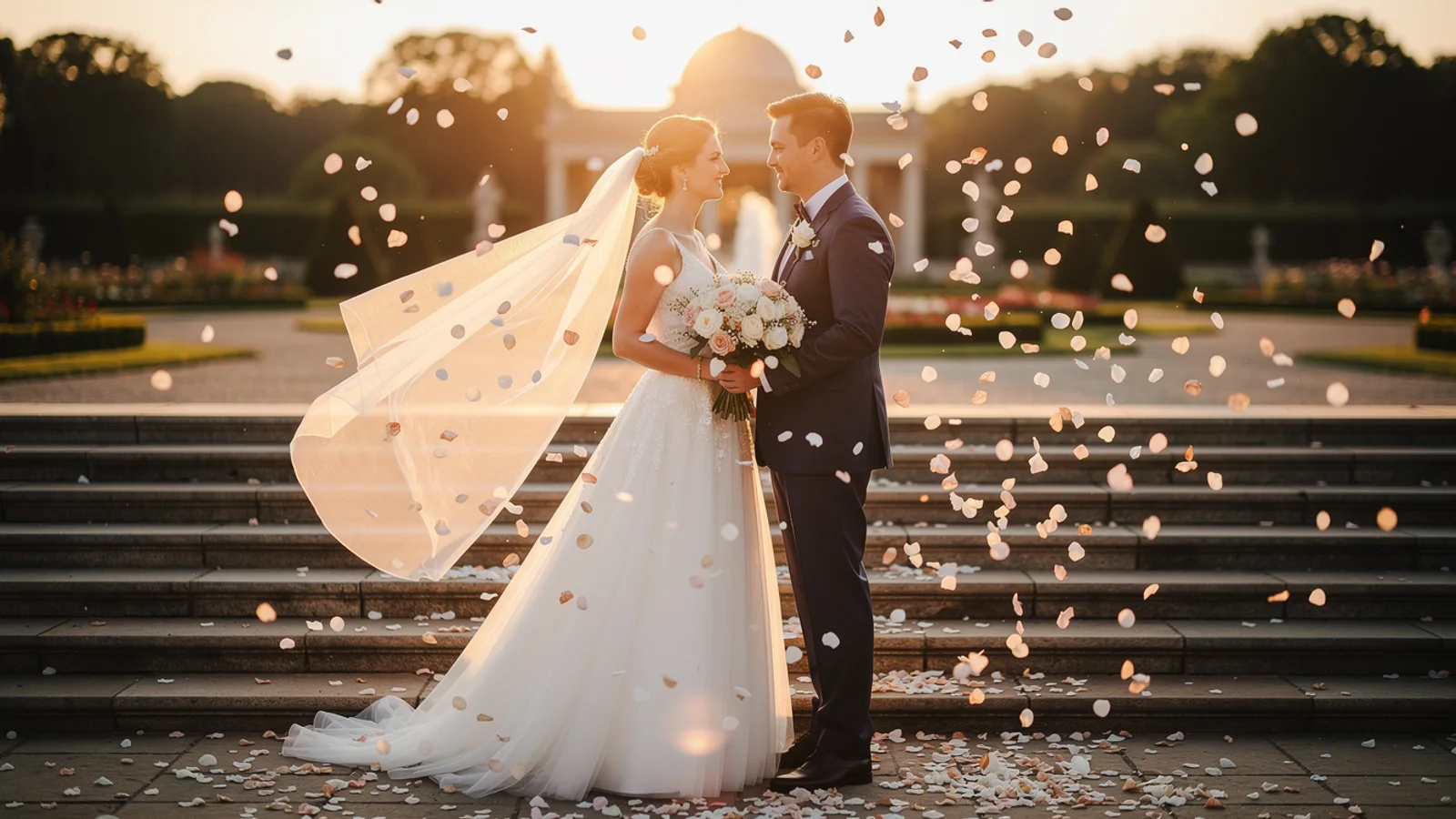
The useful checks are subject stability and whether the gentle camera sway adds energy without distracting from the couple.
Create a realistic short hover preview from this first frame. Preserve the subject identity, composition, materials, background, and framing. Use subtle model-appropriate motion only. No text, no logos, no watermark, no morphing, no extra objects. Add energetic social reel movement, gentle camera sway, and stable wedding subjects.

Watch the glass edge, garnish, and bubble motion: product geometry should remain recognizable while the highlights gain movement.
Create a realistic short hover preview from this first frame. Preserve the subject identity, composition, materials, background, and framing. Use subtle model-appropriate motion only. No text, no logos, no watermark, no morphing, no extra objects. Add bubbles, garnish sparkle, and a short creator-style product motion.
Read the full Seedance 2.0 image-to-video guide or compare routes in AI Models.
FAQ
Model behavior, cost labels, and when to use this workbench.
Seedance 2.0 is best for controlled image-to-video work, dance motion, first+last-frame continuity, and multimodal reference tests where rhythm and subject consistency matter.
Seedance 2.0 Fast is the default Inkfox AI profile for faster iteration. Use it to validate motion before spending more credits on longer or more complex clips.
No. Video input is a billing and input condition, not a separate Pro tier. The visible workbench settings show which references are active before generation.
Upload a first and last frame, and the model generates a coherent transition between them — useful for controlled multi-shot continuity and motion flow.
Choose Seedance 2.0 for multi-shot storytelling, rich camera language, dance rhythm, or first+last-frame control. Choose Kling 3.0 when single-shot subject stability and motion consistency are the priority.
This workbench defaults to Seedance 2.0 Fast at 59 credits for 5 seconds in 480p. You can also select 2.0, 2.0 Mini, or 2.5; final credits vary by version, resolution, duration, and video references.
Use the Inkfox AI workbench for a quick generation, then compare real examples from other creator workflows.