
Inkfox AI logoInkfox AIInkfoxAI
HomeGallery
Up to 33%Pricing
  • Home
  • Image
    • Text to Image
    • Image to Image
    • Background Remover
    • Image Upscaler
    • Merge Images
    • Background Changer
    • Photo Restoration
    • Watermark Remover
    • Virtual Try On Glasses
    • Virtual Try On Sunglasses
    • Logo Generator
    • Anime Generator
    • Coloring Page
    • Headshot Generator
    • Sticker Generator
    • Product Photo
  • Video
    • Text to Video
    • Image to Video
    • Video to Video
    • Old Photo Video
    • Hug Video
    • Product Video
    • Kiss Video
    • Wedding Video
    • Real Estate Video
    • Food Video
    • Travel Video
    • Portrait Video
    • Baby Dance Video
  • Models
    • Inkfox AI Basic
    • Inkfox AI Pro
    • Inkfox AI Max
    • GPT Image 2.0
    • Nano Banana 2.0
    • Nano Banana
    • Seedream 4.0
    • Seedream 4.5
    • Seedream 5 Lite
    • GPT Image 1.5
    • Z-Image
    • Flux 2 Pro
    • Wan 2.7 Image Pro
    • Inkfox AI Pro
    • Inkfox AI Max
    • HappyHorse 1.0
    • Seedance 2.0
    • Gemini Omni
    • Grok Imagine 1.5
    • Grok Imagine
    • Veo 3.1
    • Kling 3.0
    • Runway
    • Hailuo 02
    • Wan 2.7
    • Hailuo 2.3
    • Seedance v1
    • Kling 2.6
    • Wan 2.6
  • Gallery
  • Pricing
  • Blog
    Guides and launch notes
    Feature Requests
    Vote on what ships next
    FAQ
    Usage, pricing, and account answers
Inkfox AI logoInkfox AIInkfoxAI

Scene video generator

Free AI Travel Video Generator

Upload a landmark, hotel, beach, mountain, city, or scenic photo. Generate travel promo clips with drone-like push-ins, moving clouds, water, lights, and destination mood.

Create Travel VideoImage to video workspaceFree to start
Creation mode
Optional · Drop or Paste0/2000
Guest results stay in this browser. Sign in from a result to keep it and remove the watermark.
Public

Travel photo to video

Input quality control

Travel videos need place fidelity. Keep the actual landmark, hotel, landscape, or city view recognizable, then add clouds, water, sunset light, crowd-safe atmosphere, and camera drift. Upload scenic, hotel, landmark, beach, mountain, or city photos, then decide motion and export.
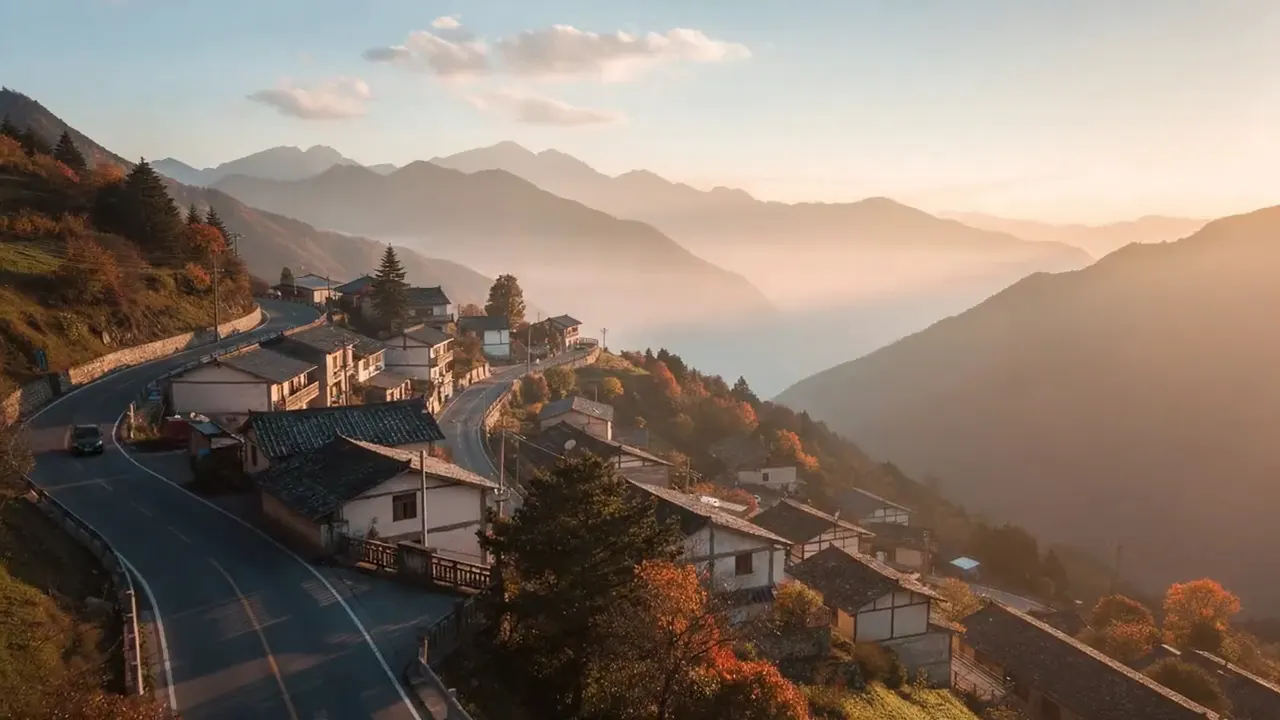
AI travel video scenic frame

Frame worth animating

Destination campaigns

Animate scenic photos with camera movement, clouds, water, and light for tourism campaigns.

Create Travel Video

Check the frame before you add motion

Upload scenic, hotel, landmark, beach, mountain, or city photos. Lock the subject, light, and background first, then ask the model for one readable action.

Keep the person, product, or space readable; avoid occlusion, low light, and harsh crops.
Write one core motion first, then add camera, lighting, and aspect ratio.
After generation, check identity, edges, hands, and background stability first.

Direction guide

Motion and output decisions

Do not turn the page into a model catalog. The useful part is telling people what to keep stable, what motion to restrain, and which export direction fits the channel.

AI travel video vs static destination photo

Camera, motion, and export have to be decided together. Once you define who moves, how the camera moves, and where the clip will be used, the long-tail content actually helps generation.

If the subject is not readable, switch the frame before adding prompt detail.

Write one core motion cue and let camera pacing do the rest.

The destination channel decides aspect ratio, pacing, and end hold.

Decision axis

Destination feel

Keep this stable

Clouds, water, light, camera drift

Watch for drift

One still travel image

Decision axis

Place fidelity

Keep this stable

Keep landmark and view recognizable

Watch for drift

Generic fantasy landscape

Decision axis

Output

Keep this stable

Scenic promo for social and pages

Watch for drift

Gallery-only image

Channel recipes

Channel-ready recipes

The same workspace can serve different publishing jobs. Instead of repeating generic use cases, turn each route into a recipe with a frame goal, motion focus, and a prompt you can reuse.

AI travel video scenic frame

Drone push

Recipe 01

Destination campaigns

Animate scenic photos with camera movement, clouds, water, and light for tourism campaigns.

Motion cue

Clouds, water, light, camera drift

Avoid drift

One still travel image

Prompt recipe to paste into the workspace

Drone-like slow push-in over the scenic view, clouds moving gently, sunlight shifting, cinematic destination promo.

Return to the workspace
Hotel travel video frame

Water motion

Recipe 02

Hotel and resort promos

Create room, pool, lobby, and exterior clips that feel premium without a video shoot.

Motion cue

Keep landmark and view recognizable

Avoid drift

Generic fantasy landscape

Prompt recipe to paste into the workspace

Ocean or lake water shimmering, soft breeze, warm travel mood, slow camera drift, keep the landmark recognizable.

Return to the workspace
Creator travel video frame

Sunset reveal

Recipe 03

Creator travel posts

Turn trip photos into short vertical posts for TikTok, Reels, Shorts, and travel blogs.

Motion cue

Scenic promo for social and pages

Avoid drift

Gallery-only image

Prompt recipe to paste into the workspace

Golden sunset reveal, lights slowly turning on, cinematic travel commercial, smooth camera movement.

Return to the workspace

FAQ

Free AI Travel Video Generator FAQs

Source images, prompts, exports, and usage rights

What travel photos work best?

Landmarks, beaches, mountains, hotels, city views, and scenic photos with strong composition work best.

Will the place still look real?

Use prompts that preserve landmarks and add small environmental motion. Avoid asking the model to redesign the location.

Can hotels and tour agencies use it?

Yes. Paid plans support commercial use. Make sure the original photos are authorized for promotion.

Which ratio should I use?

Use 9:16 for Reels, TikTok, Shorts, and stories. Use 16:9 for destination pages, hotel websites, and YouTube.

Ready with Inkfox AI

Bring this scene into the Inkfox workspace

Upload a source image, keep the prompt direction, then choose model, ratio, duration, and export settings.

Open video workspaceView Gallery
Inkfox AI logoInkfox AIInkfoxAI

Free Unlimited AI Image Generator — no sign-up required.

Inkfox AI is a free AI image and video generator for text to image, image-to-image editing, reference image creation, background removal, image upscaling, text-to-video, image-to-video, and multi-model visual generation.

Company
  • About
  • Contact
  • Transparency
  • Status
Legal
  • Cookie Policy
  • Privacy Policy
  • Terms of Service
© 2026 Inkfox AI. All Rights Reserved.Sitemap