Inkfox AI logoInkfox AIInkfoxAI
HomeGallery
Up to 33%Pricing
  • Home
  • Image
    • Text to Image
    • Image to Image
    • Background Remover
    • Image Upscaler
    • Merge Images
    • Background Changer
    • Photo Restoration
    • Watermark Remover
    • Virtual Try On Glasses
    • Virtual Try On Sunglasses
    • Logo Generator
    • Anime Generator
    • Coloring Page
    • Headshot Generator
    • Sticker Generator
    • Product Photo
  • Video
    • Text to Video
    • Image to Video
    • Video to Video
    • Old Photo Video
    • Hug Video
    • Product Video
    • Kiss Video
    • Wedding Video
    • Real Estate Video
    • Food Video
    • Travel Video
    • Portrait Video
    • Baby Dance Video
  • Models
    • Inkfox AI Basic
    • Inkfox AI Pro
    • Inkfox AI Max
    • GPT Image 2.0
    • Nano Banana 2.0
    • Nano Banana
    • Seedream 4.0
    • Seedream 4.5
    • Seedream 5 Lite
    • GPT Image 1.5
    • Z-Image
    • Flux 2 Pro
    • Wan 2.7 Image Pro
    • Inkfox AI Pro
    • Inkfox AI Max
    • HappyHorse 1.0
    • Seedance 2.0
    • Gemini Omni
    • Grok Imagine 1.5
    • Grok Imagine
    • Veo 3.1
    • Kling 3.0
    • Runway
    • Hailuo 02
    • Wan 2.7
    • Hailuo 2.3
    • Seedance v1
    • Kling 2.6
    • Wan 2.6
  • Gallery
  • Pricing
  • Blog
    Guides and launch notes
    Feature Requests
    Vote on what ships next
    FAQ
    Usage, pricing, and account answers
Inkfox AI logoInkfox AIInkfoxAI

AI Text to Video

Free AI Text to Video Generator

Write a prompt, create a clear first frame, then generate product videos, paid ad clips, social posts, and storyboard shots with Grok, Kling, Runway, Veo, Hailuo, Wan, Seedance, and more.

Prompt to videoAd clipsStoryboard and social clips
Creation mode
0/2000
Guest results stay in this browser. Sign in from a result to keep it and remove the watermark.
Public

Prompt to shot

Turn one prompt into a playable shot reel.

Each card keeps the full prompt on the left and a generated clip on the right. Subject, action, camera move, style, and duration are highlighted so you can reuse the structure with your own idea.

01 · Ad opener

DTC skincare launch · 5s · 9:16

Clip

Full prompt

A frosted glass skincare serum on a wet stone counter, tiny water droplets sliding down the bottle, warm morning light sweeping from the left, slow camera push-in, realistic premium ad-film finish, 5 seconds, 9:16, for a TikTok ad opener.

Skincare bottle ad opener generated from a text to video prompt
Motion: Slow push-in

02 · Social vertical

Fashion short · 6s · handheld drift

Clip

Full prompt

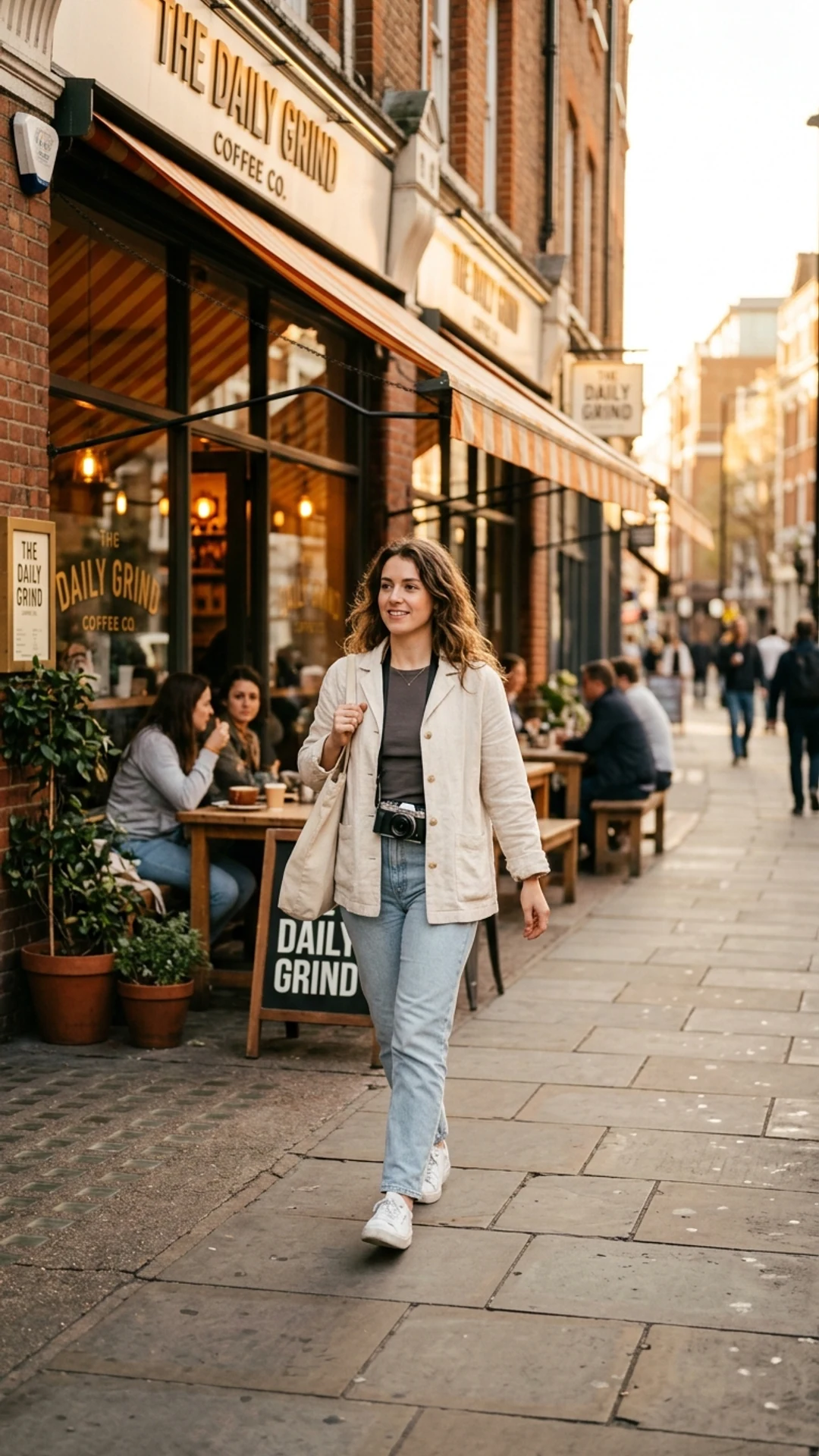
A creator in a cream jacket walks past an urban coffee shop, hair moving lightly in the wind, holding a phone and glancing at camera, subtle handheld follow shot, realistic street-style texture, 6 seconds, 9:16, for a Reels or Shorts opener.

Vertical creator lifestyle shot prepared for prompt to video social media
Motion: Handheld follow

03 · Product demo

Ecommerce hero · 5s · 16:9

Clip

Full prompt

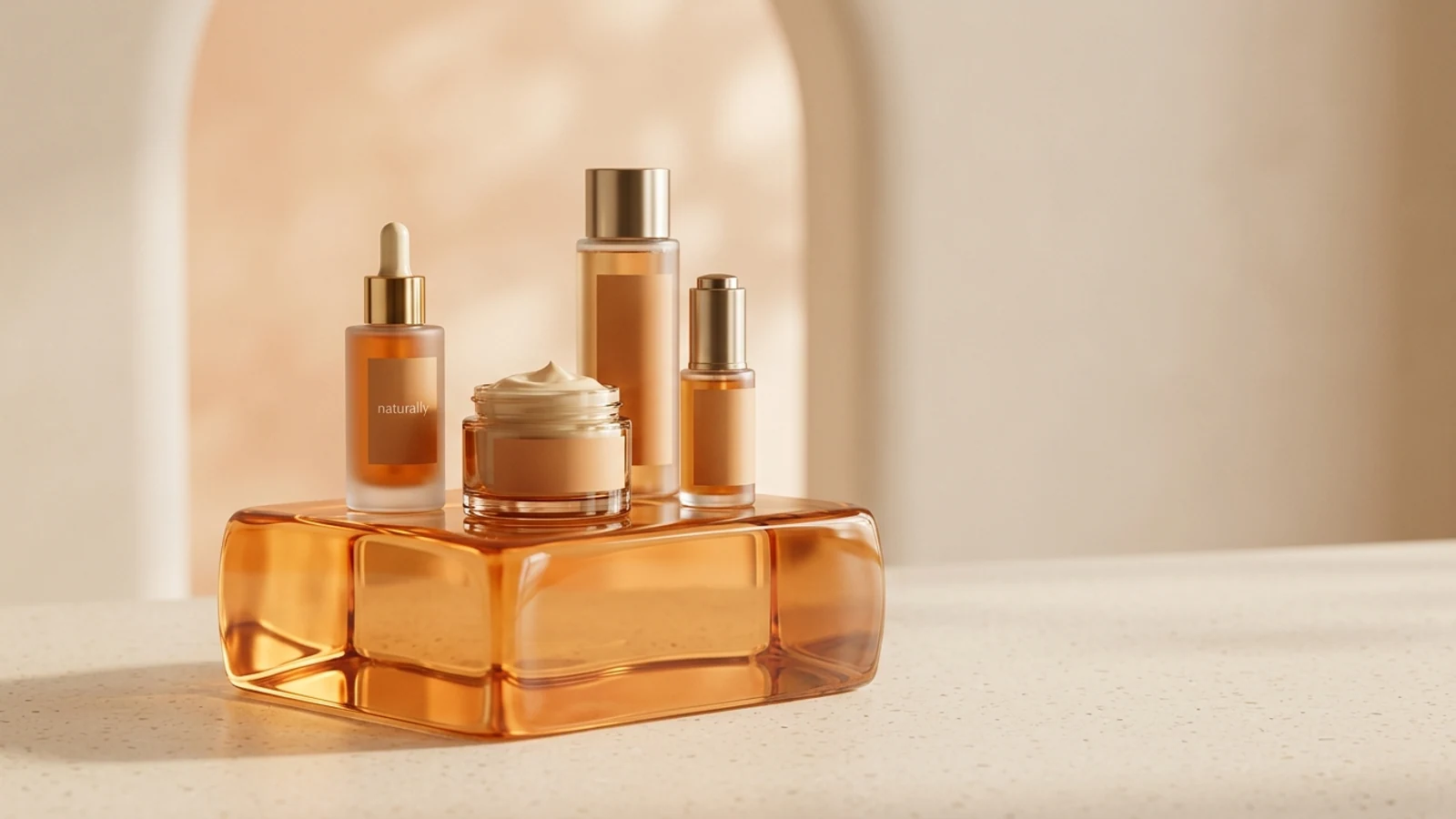
A skincare set arranged on a warm acrylic display block, the transparent lid opens slowly, fine highlights catch the bottle edges, camera pans left to right, clean ecommerce ad style, 5 seconds, 16:9, for a product detail hero.

Product display shot generated from a text to video prompt
Motion: Side pan

04 · Storyboard concept

Smart home concept · 6s · 16:9

Clip

Full prompt

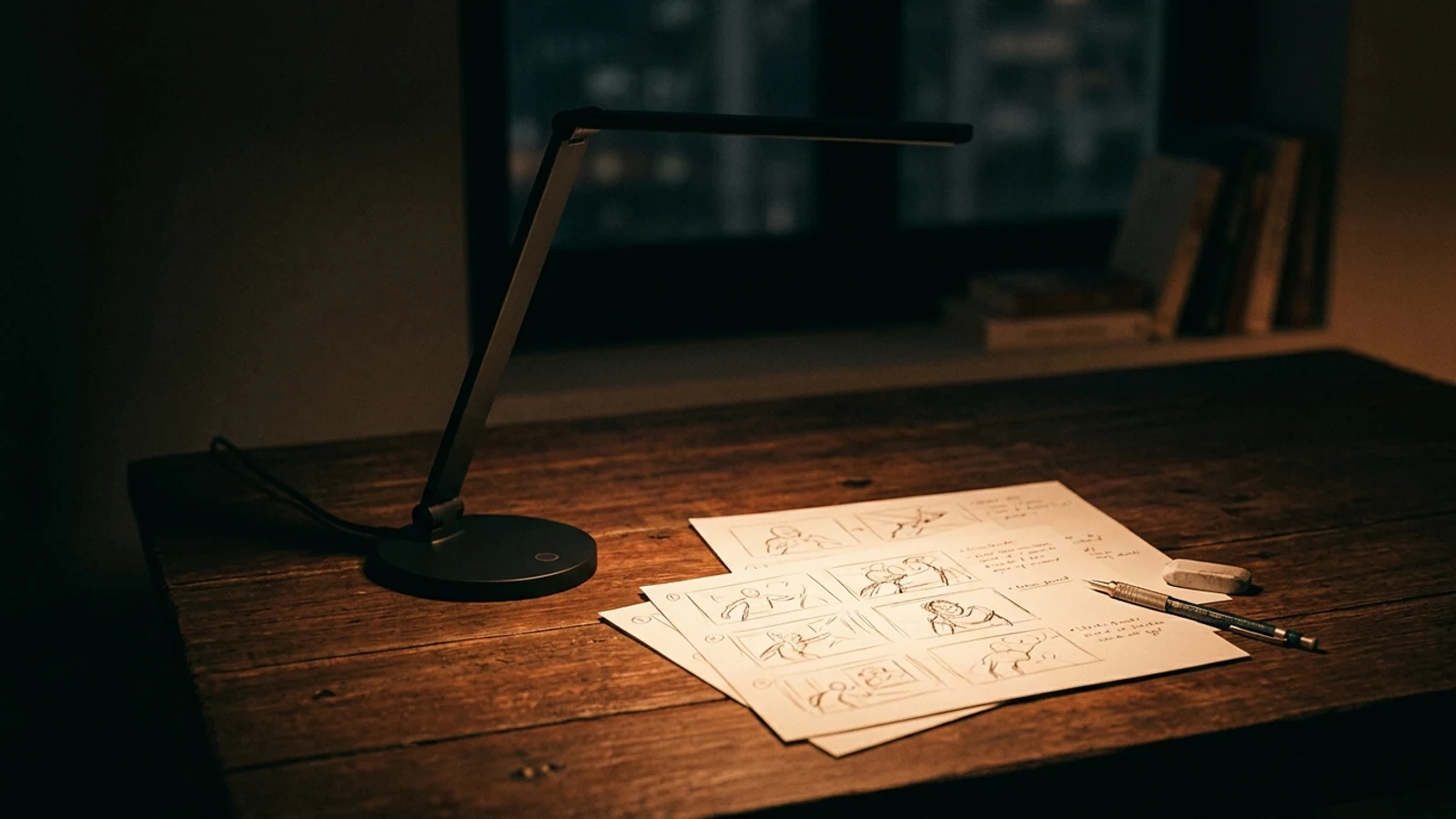
On a desk at night, a smart lamp turns on by itself, warm light reveals storyboard sketches on paper, a pencil rolls slightly, low-angle slow orbit camera, cinematic but realistic, 6 seconds, 16:9, for an ad storyboard concept test.

Storyboard concept shot generated from a text to video prompt
Motion: Low orbit

Use cases

Common text-to-video jobs

Each case maps to a clear long-tail intent and gives visitors a reason to try the workspace.

AI text to video ads

A text to video ad generator for DTC heroes and Meta/TikTok test creatives from one product hook.

Prompt to video clips

Explore opening shots for TikTok, Reels, and Shorts.

Storyboard to motion

An AI storyboard to video generator: create consistent shots, then move into image-to-video or premium models.

Product video concepts

Turn product positioning into short video options you can keep improving.

Brand campaign assets

Convert campaign copy into key visuals ready for motion.

Video model lineup

One workspace, many video models in parallel

No switching between tools. Validate the direction on a free model first, then spend credits on the premium model that fits this specific clip.

Grok Imagine

Free / low

Best for

Free quick start for testing ideas and first-frame motion

Kling 3.0

140+ credits

Best for

High motion consistency and subject stability for product and character shots

Veo 3.1

Premium

Best for

Cinematic quality with native audio for narrative and complex scenes

Runway

Premium

Best for

Stylized, experimental camera work for creative and artistic direction

Hailuo

Mid

Best for

Cost-efficient and fast for social clips and smooth motion

Seedance

Mid / high

Best for

Multi-shot storytelling and dynamic camera language

Motion prompt formula

Break a moving shot into 5 controllable fields

Video is not a longer prompt — it is clearer motion intent. Write these five and the result gets more stable, with a better signal for when a premium model is worth the credits.

1

Subject

Name the person, product, or scene without vague style filler.

2

Motion

Describe one readable action instead of a full scene.

3

Camera

Push-in, orbit, pan, or handheld, only when it helps the shot.

4

Duration / pace

State clip length and pacing to match the channel.

5

Output use

Say paid ad clip, social clip, product reveal, or storyboard test.

Why the Inkfox workspace

Unified workspace vs single-point text-to-video tools

CapabilityInkfox video workspaceSingle-point tool
Multi-model switchingGrok, Kling, Veo, Runway, Hailuo, Seedance side by sideUsually locked to one model
Free startValidate the prompt and first-frame direction for freeMost require payment first
Prompt to first frameEnhance the prompt and create a first frame to drive the videoOften text-only, limited control
Camera controlExposes push-in, orbit, and pan params per modelLimited control
Commercial & downloadWatermark-free downloads on paid plansOften watermarked or limited

AEO answer block

What is text-to-video best for?

Text-to-video is best for quickly exploring ad clips, social openings, and storyboard directions from a single line. In the Inkfox workspace you write the prompt, compare models, pick the most stable frame, then continue into image-to-video or a premium video model.

Back to the workspace to generate

Multi-model

Fast validation

Reference-driven

Camera control

Prompt enhance + model compare + credit cost, all in one workspace

FAQ

Text to video FAQ

About prompts, first frames, model choice, free tests, and publishable video clips.

Which models can I use for text-to-video?

The workspace integrates Grok, Kling, Runway, Veo, Hailuo, Wan, and Seedance. Switch and compare them in one place and pick the one that fits this clip.

How long are clips and what resolution?

Duration and resolution depend on the selected model — typically a few seconds, from 720p to 1080p. The workspace shows the available settings per model.

How is it priced — is there a free tier?

You can test a video idea for free. Premium video models use credits, and the cost appears before you generate, so there are no surprises.

Can I use the videos commercially?

Yes. Each model carries its own license terms — check them before paid campaigns. Paid plans support watermark-free downloads.

What text-to-video prompts work best?

Describe the subject, one clear action, camera move, pace, and where the video will be used: paid ad, social clip, storyboard test, or product reveal. Random prompts and one-click prompt enhancement can help you start faster.

Can I use a reference image or first frame?

Yes. Generate or upload a clear first frame in the workspace, then drive the video from it — usually more controllable than text alone.

How is this different from image-to-video?

Text-to-video starts from a prompt and helps you create the first frame. Image-to-video animates an image you already like. You can use both when a draft needs more control.

Ready with Inkfox AI

Create with Inkfox AI Free AI Text to Video Generator.

Start with a prompt or reference, compare models, and save the best result to history. Upgrade when you need cleaner exports, stronger models, or more production volume.

Open Inkfox AI generatorView Gallery
Inkfox AI logoInkfox AIInkfoxAI

Free Unlimited AI Image Generator — no sign-up required.

Inkfox AI is a free AI image and video generator for text to image, image-to-image editing, reference image creation, background removal, image upscaling, text-to-video, image-to-video, and multi-model visual generation.

Company
  • About
  • Contact
  • Transparency
  • Status
Legal
  • Cookie Policy
  • Privacy Policy
  • Terms of Service
© 2026 Inkfox AI. All Rights Reserved.Sitemap